Moving a travel business to the web from inside FileMaker
Travel Places has run on FileMaker systems we have built together for nearly ten years. For the last 18 months we have moved them to the web one module at a time, starting with web pages inside FileMaker itself, so every team kept working while the screens around them changed.
- Client
- Travel Places
- Moving
- FileMaker to the web
- How
- Inside FileMaker first
- In step
- Every two minutes
More data than its screens were made for.
The problem. Travel Places' FileMaker systems run every part of the business, and they hold more than their screens could show well: a whole squad on an event, flights in three levels, reports that change with who is reading them. Rebuilding everything at once would have stopped a business that never stops travelling.
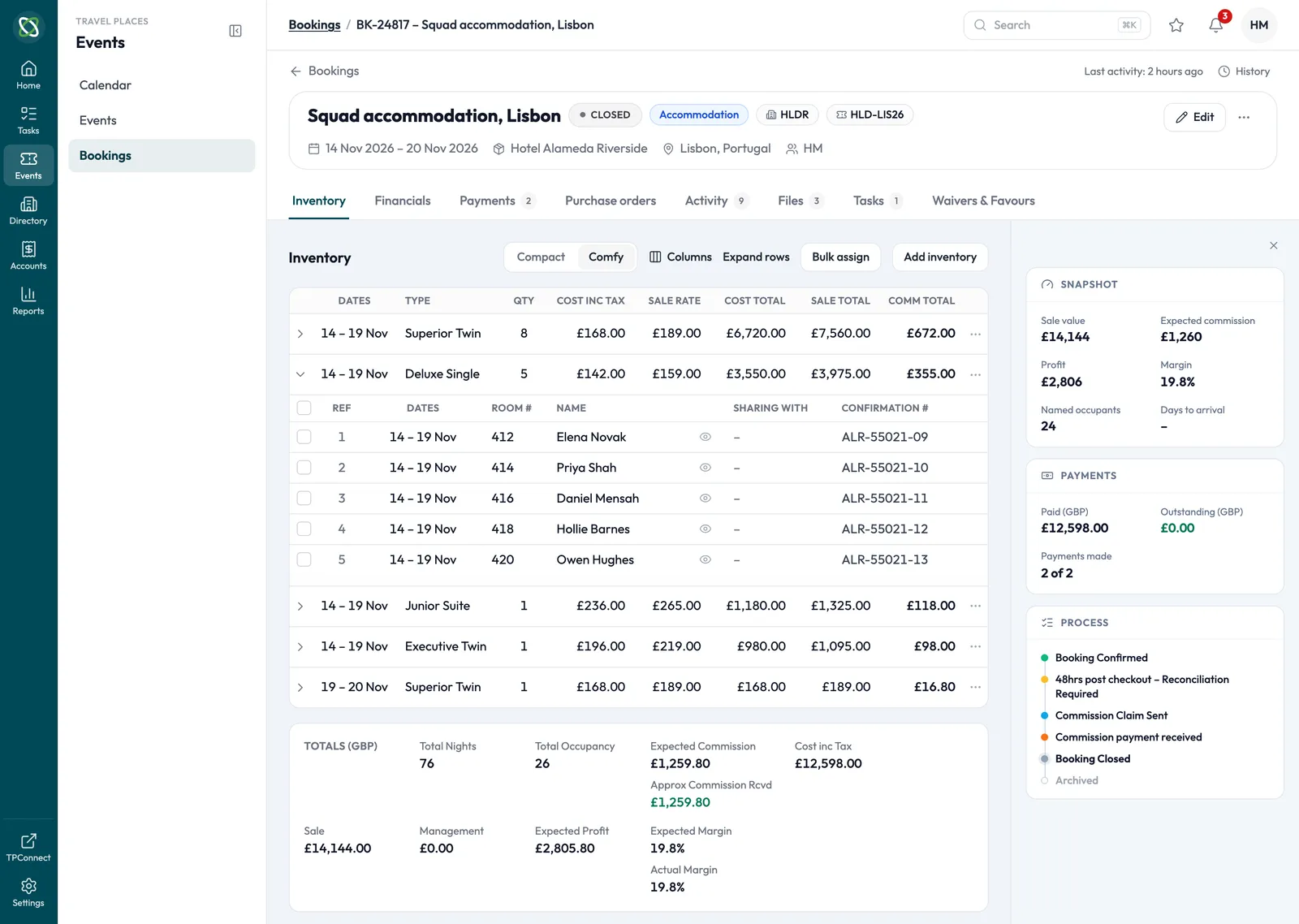
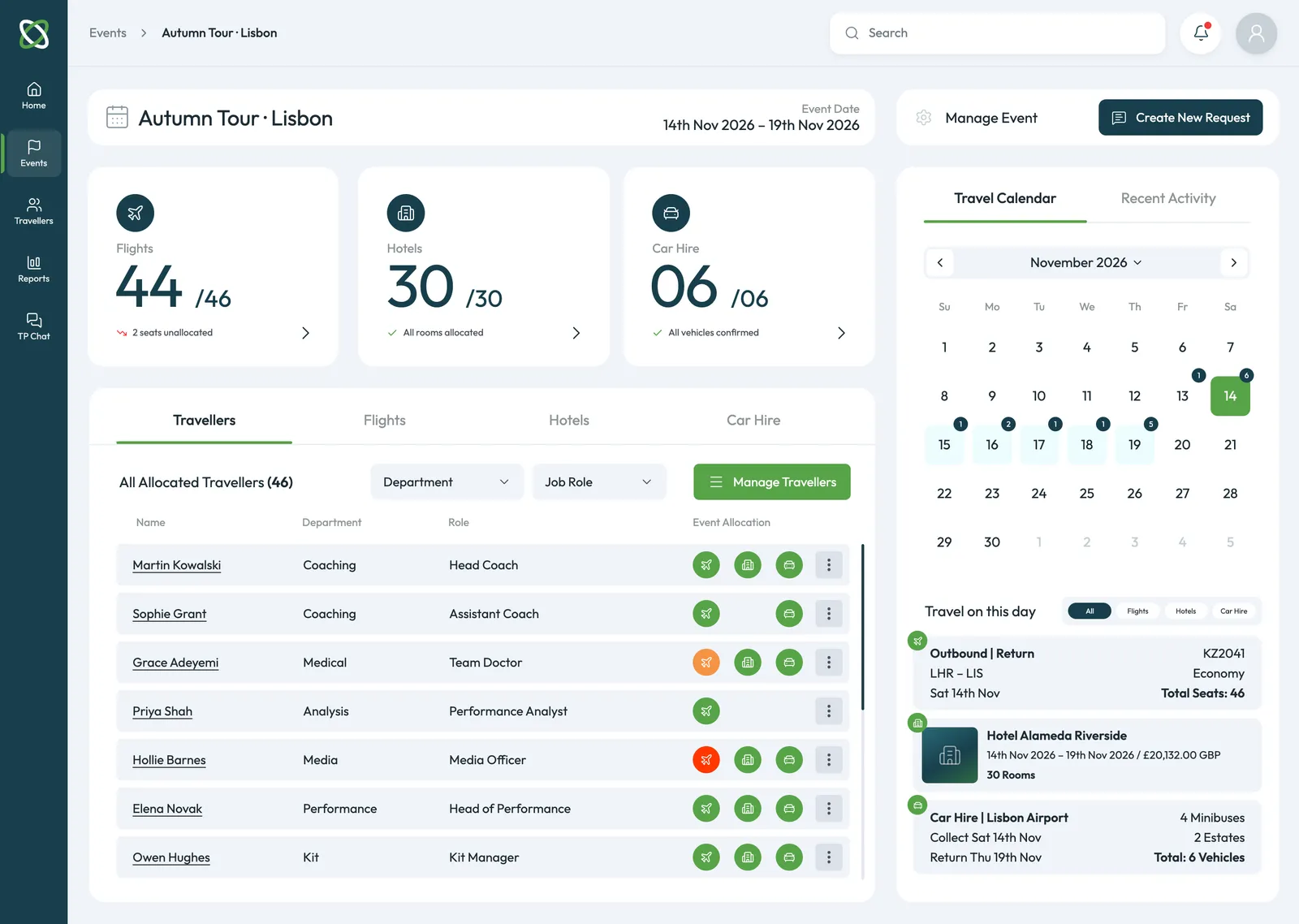
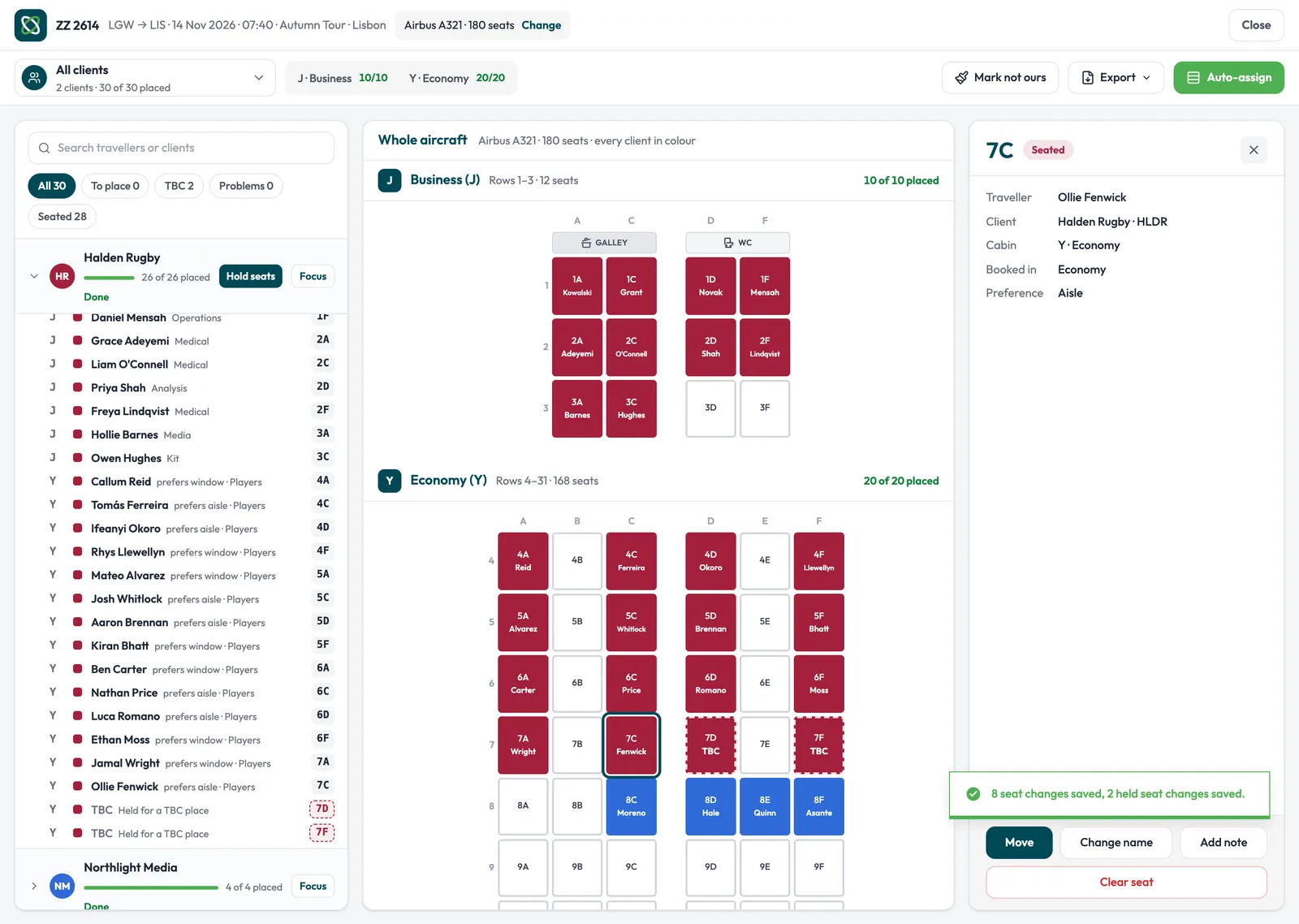
The approach. We started inside FileMaker. New web pages took over single screens in FileMaker's own web viewer: lists whose columns each person chooses, a flight list that opens level by level, reports that switch for the client. Then the operations platform moved to the web, sharing its changes with FileMaker every two minutes, so each module switches over when it is ready.
The same list, rebuilt inside FileMaker.
Drag to compare. On the left, the kind of fixed list layout a FileMaker system builds up: the same narrow columns for everyone, every record the same weight. On the right, the list rebuilt as a web page in the same FileMaker window, with the totals across the top, a search that filters as you type and the columns each person chooses.
Two pictures of one trip's flights and seats in the same FileMaker window, with invented data. Before: a generic grey wireframe of a fixed FileMaker list layout, not Travel Places' own, with tiny tool buttons, a fixed set of narrow columns, two-line records under grey bands, a cramped portal and a status area, and grey bars where the data would be. After: the list rebuilt as a web page inside the window, with the trip's seats counted by cabin across the top, a search box and a Customise button, then a card for each flight listing every passenger with their class, booking reference, times, journey, fare, tax and total, its rows level with the old records.
One screen at a time, inside FileMaker.
Each web page took over a single FileMaker screen, in FileMaker's own window, so the team kept working where they always had.
Three web pages running inside FileMaker windows, rebuilt with invented data: the list view, where the Customise list panel switches on Department and CO₂ emissions, drags them into place and the list re-lays with them; the flight list opening a flight to its cabin class and bookings, then a booking opening its passengers in a FileMaker window; and the flight and passenger report switching from the internal event summary to the version for the client, the profit and fees folding into the fare.
Columns each person chooses
The list view replaced a fixed FileMaker layout. Each person switches columns on, drags them into order and applies, and the list re-lays at once.
The choice is saved to their own FileMaker account, and searching and filtering happen in the page itself, without a trip to the server.
Flights that open level by level
The flight list groups an event's flights by phase, then cabin class, then booking, and loads more as you scroll.
Open a booking and FileMaker shows its passengers in a window of its own, so the page and the system around it work as one.
A report for the team, and one for the client
The flight and passenger report sums up an event by flight, airport, date and client, with every cabin counted across the top.
Switch to the client's version and the profit and fees fold into the fare, ready to send.
What has moved so far
Each module replaced a FileMaker screen or a spreadsheet, and the records stayed where the business needed them.
- A client list in a web viewer, the first web page inside FileMaker, in May 2025
- Traveller and booking forms built on the web and shown inside FileMaker
- A list view in place of a fixed FileMaker layout: choose the columns, then filter and search without waiting on the server
- A flight list that opens by phase, cabin class and booking, and loads as you scroll
- A flight and passenger report by flight, airport, date and client, in an internal version and one for the client
- The operations platform on the web, live since July 2026 and in step with FileMaker every two minutes
- Each switch-over set in FileMaker itself, so a module moves without waiting for a new release
Inside FileMaker first, then the web.
Each piece took over one job while the business kept travelling. The first ran inside FileMaker's own windows; then the operations platform moved to the web, and the two now share their changes every two minutes.
- May 2025: A client list in a web viewer, Inside FileMaker. The first web page inside FileMaker.
- Aug 2025: Traveller and booking forms, Inside FileMaker. Built on the web, shown in FileMaker.
- Jan 2026: The operations platform, started, On the web. Events, bookings and suppliers on the web.
- Feb 2026: The flight list and passenger report, Inside FileMaker. Three levels, and a version for the client.
- Mar 2026: Travellers, served back into FileMaker, built on the web and shown inside FileMaker. The platform's own list in a FileMaker window.
- Jul 2026: The platform, live, On the web. On the web for every department.
- Aug – Oct 2026: The list view with chosen columns, Inside FileMaker. In place of a fixed FileMaker layout.
- Today: FileMaker and The platform, Changes shared both ways, every two minutes.
Where it stands
The move has run for 18 months with the business travelling throughout: Travel Places' teams work in FileMaker and on the web side by side, on the same records.
Each module that moves makes the next one easier, because the web already holds the data it needs. The client portal is next.
What we used
- FileMakerThe systems the business runs on, with web pages in their web viewers
- Next.jsThe web pages inside FileMaker, and then the platform
- SupabaseThe platform's records, and the queue that keeps FileMaker in step
- VercelHosting the pages FileMaker shows