
Trusted by clients from global brands to local charities


Why it matters
When a system doesn't fit the work, people work around it.
Someone rings the office instead of looking it up. A step gets skipped because it takes too long. Each workaround makes sense on its own. Together they become the real process, and only a few people know how it works.
Only two people really know how the quoting works.
Everyone keeps their own spreadsheet on the side.
It's quicker to ring the office than find it in the system.
New starters take weeks to get the hang of it.
Everyone who touches the work, on one map
A job usually passes through many hands: the customer, the office, the people on site, accounts. Each sees a different part of it. In collaborative workshops we bring them together and map how a job moves from one to the next, workarounds and all. Where it hurts is where the design starts.
- 1Customer
Sends an enquiry by email
- 2The office
Builds the quote in a spreadsheet
Copied over - 3Customer
Says yes on the phone
Not written down - 4The office
Types the order into the system
Typed twice - 5On site
Works from a printed job sheet
Out of date - 6Accounts
Chases the paperwork to invoice
Waits in an inbox
What today looks like, and what good looks like
Every business has already built its own answers: spreadsheets, shared inboxes, forms, an older system with workarounds on top. We go through what you run on today with the people who use it, then agree together what good looks like.
What today looks like
What good looks like
- 1
Colours become stages
Every job shows where it's up to, and the colour means the same thing to everyone.
- 2
Initials become owners
Each job has a named owner, and they're told when it's their turn.
- 3
Notes become reminders
"Chase Fri" becomes a follow-up the system remembers, so nobody has to.
- 4
Copies become one record
No more asking which one's the latest. Everyone works from the same job.
Clickable prototypes
Feel it before it's built
Your team clicks through a working version of the new system and tells us what's missing. We change it, often while they're still in the room, and they try it again. By the time we build it, the people who'll use it have already shaped it.
Feedback from the first session
- 1Office manager: “Can I approve these from the list?”Next: approve buttons on the list
- 2Site team: “We need this on our phones.”Next: the same job on a phone
- 3Accounts: “Show me what's ready to invoice.”Next: a filter for what's ready to invoice
The screens we design most often
Every system is different, but the same kinds of screen come up again and again, whatever the sector. Each one here is live: drag, hover and click.
See what needs doing first
The morning's figures, the actions due, the fortnight ahead, and how each project is tracking against its budget.
What changes when the system fits the work
What you hear now
What changes
What you hear now: Only two people really know how the quoting works.
What changes: The steps are on the screen, so anyone on the team can pick up a quote.
What you hear now: Everyone keeps their own spreadsheet on the side.
What changes: Nobody keeps a copy on the side, because the system already has what they need.
What you hear now: It's quicker to ring the office than find it in the system.
What changes: The answer is on the phone in their pocket, on site or at the desk.
What you hear now: New starters take weeks to get the hang of it.
What changes: Screens follow the job, so new starters learn the work, not the software.
What to expect
Five stages, from the first workshop to a system in use, and what you'll have at the end of each.
Design work in systems we've built
Design work that started round a table with the people who do the job.
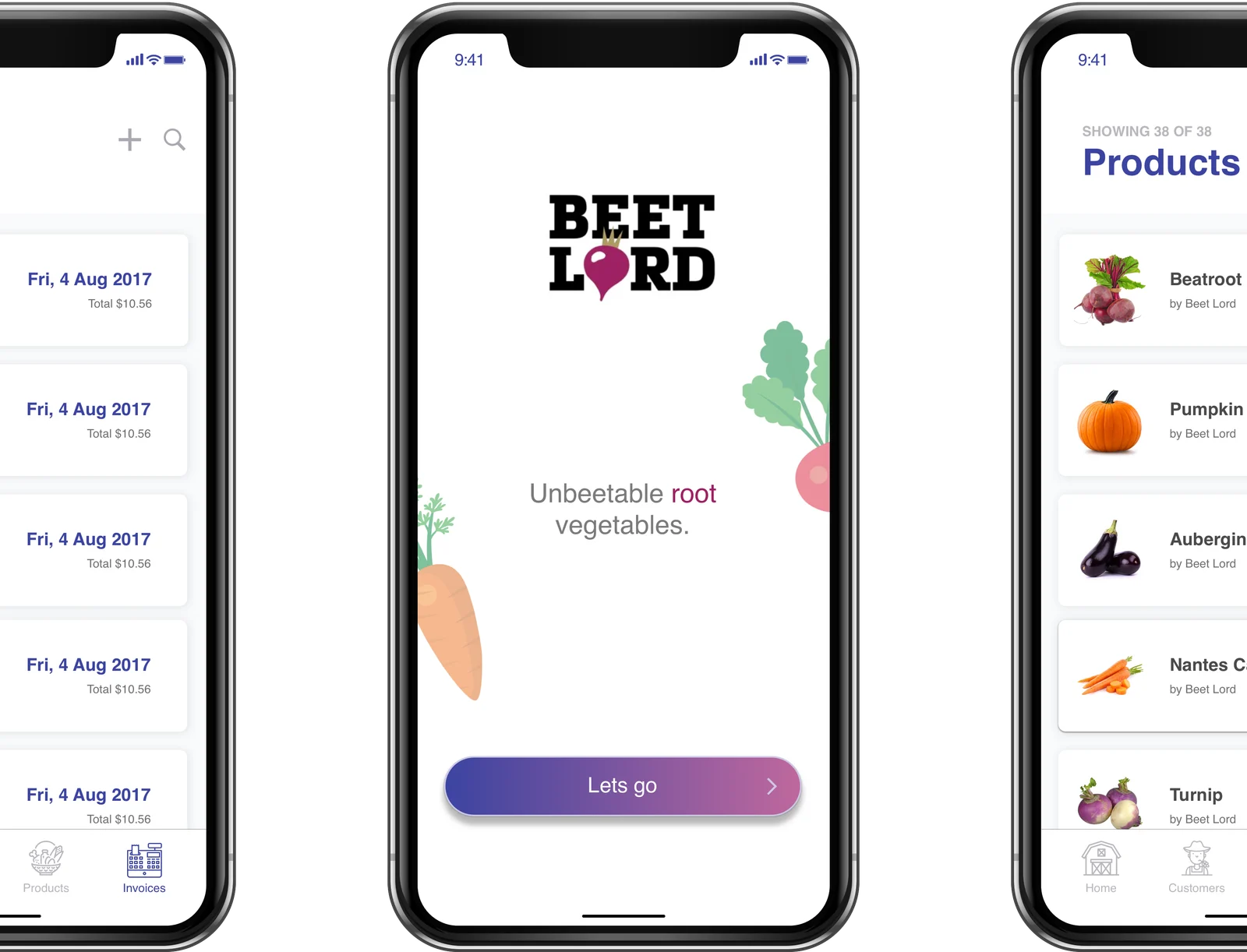 Claris
Mobile & Web App for Claris Advert
Partnering with Claris we designed, developed and launched the BeetLord app to accompany their TV Advert campaign with actors from The Office. The BeetLord app was downloaded thousands of times.
UX and UIFileMaker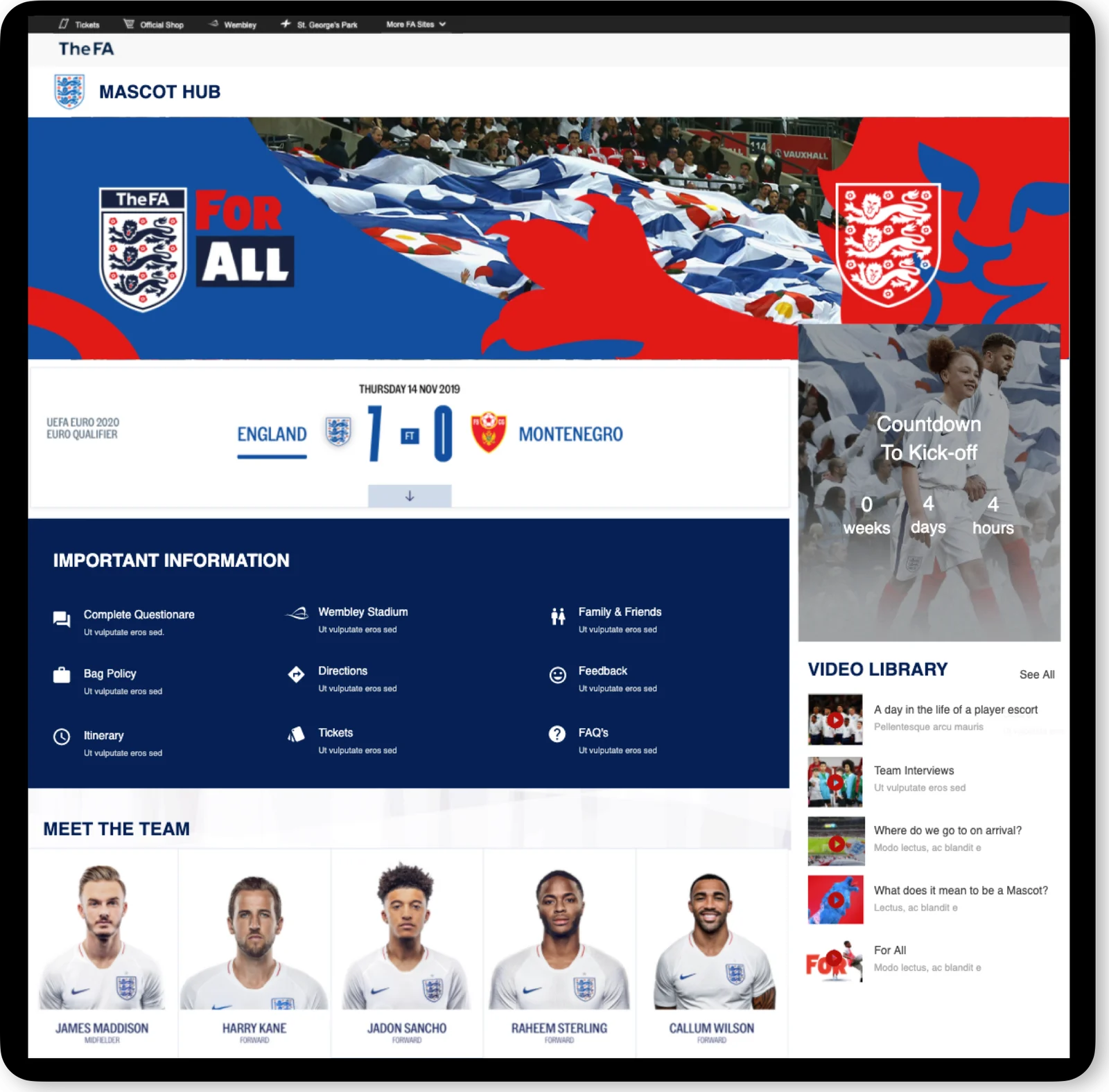 The FA · Sport
Online Mascot Hub
Partnering with the events team at The FA we engaged with strategy and design workshops to produce screen designs for a new online mascot hub.
UX and UI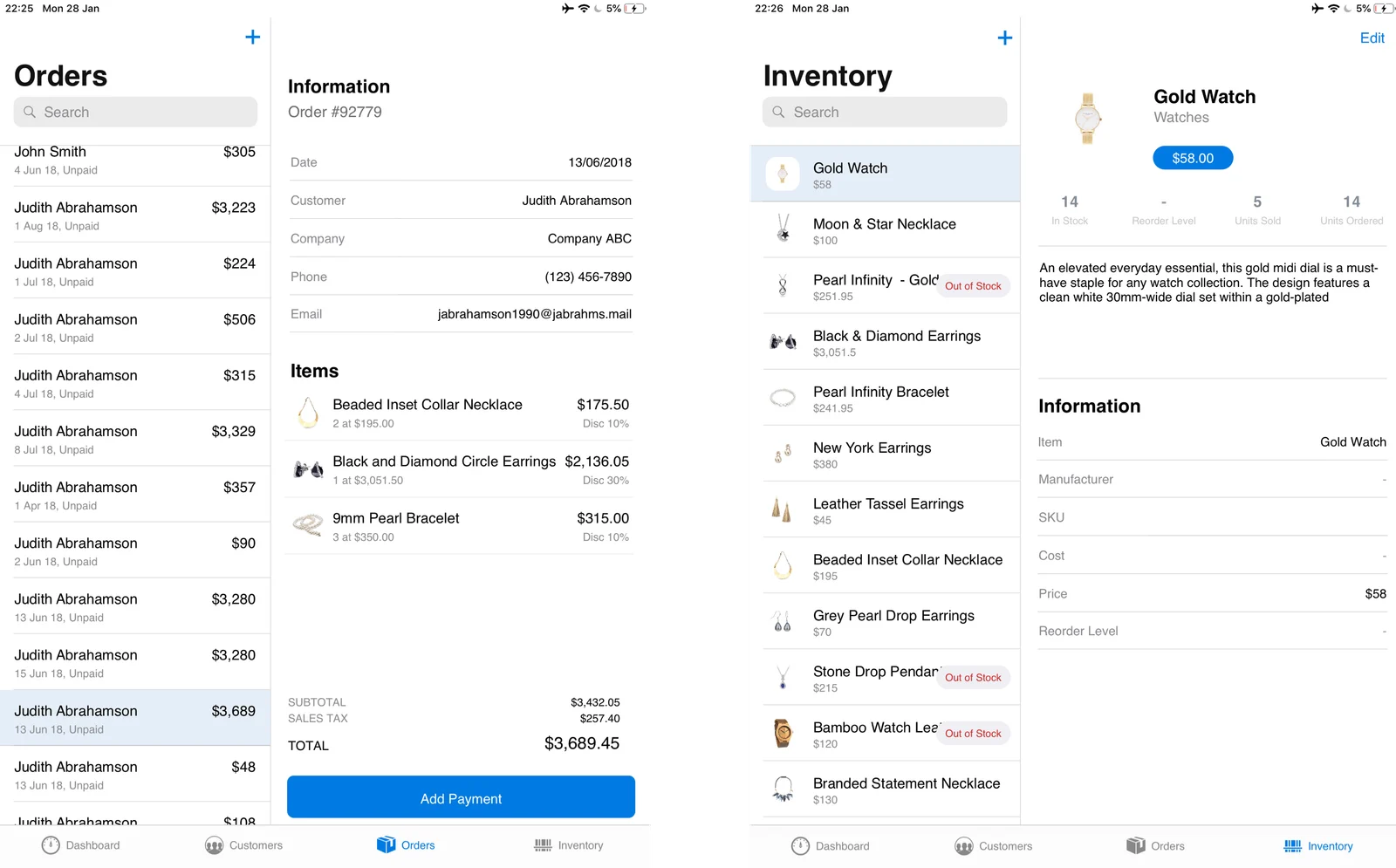 Claris
Order Management Mobile App
As part of the Claris rebrand, our team was engaged in partnership with Soliant Consulting to redesign and make the template apps that are shipped by default with the FileMaker Product.
UX and UIFileMaker
What clients say about working with us
I highly recommend working with Neptune. The process is hugely collaborative and made the project a joy to work on. Their understanding of FileMaker is second to none and they always finds ways to solve challenges through creative design. They are organised, calm and diligent in their work, and will go above and beyond to deliver.
 Mark HoldenManaging Director
Neptune is highly creative, diligent in research, and provides excellent suggestions. We have accomplished much and thoroughly enjoyed our real-time suggest-and-edit sessions. Neptunes' flexibility and adaptability have resulted in impressive productivity within tight time frames and with exceptional quality.
 Craig CameronHead of R&D
Extremely satisfied. The team are extremely responsive, flexible, fast, and precise in all areas. We started together with a small project, and have since expanded the SoW significantly after the service and talent we got. 10/10, would recommend.
 William HillCEO, Bascule Insurance Services LLC
Working with Neptune has been an exceptional experience from start to finish. Their dedication, expertise, and swift execution in developing our system left me thoroughly impressed. The seamless communication and willingness to go the extra mile demonstrated their commitment to delivering excellence. Overall, my experience with Neptune has been nothing short of outstanding.
Jacquie FreearPurchasing Manager Neptune provided an excellent professional, knowledgeable service and offer exceptional value to any project. Thank you to Jordan and the Team.
 Darren WilliamsProduct Owner, Solotech
Questions about UX and UI design
UX is how it works: what goes where, the steps, what happens next. UI is how it looks and feels: the layout, type, colour and the parts on each screen. We do both, together.
A few people who do the job each day, someone who manages it, and one person who can make the call. They join the workshop and the prototype rounds.
They usually do. The map puts each team's steps side by side, so the person making the call can see the trade-offs, and the prototype lets everyone try the answer.
No. It's a working version for your team to try and change, so the decisions are made early. The finished system is then built properly, with those screens and decisions carried into it.
Both. Design and build sit in one team, often in the same hands, so nothing gets lost between the two. If you have your own developers, we can design alongside them.
Yes. We start with a workshop with the people using it, find where it slows them down, and prototype the parts that matter most first.
Yes. Your logo, colours and type go into the design system, so every screen carries them.
We don't run months of discovery or hand over static drawings for someone else to interpret: we go from the workshop to something your team can click. And brand identity and campaign creative sit with our Marketing team, not here.